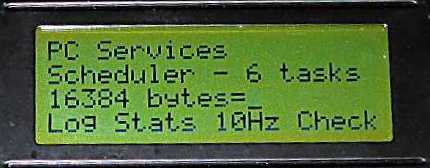
PC Services
"From Payroll to Body Scanners"
Established 1994
PC Services (Electronics)
Arduino - Liquid Crystal library
Tel: 0118 946 3634
Email


PC Services"From Payroll to Body Scanners"Established 1994 |
PC Services (Electronics)Arduino - Liquid Crystal library |
Tel: 0118 946 3634
|
Gallery of Liquid Crystal libraryWhilst working on scheduler, it was discovered that the standard LiquidCrystal library was excessive on time delays and was blocking other tasks. This library was reviewed and some results and updates are discussed here. This is also documented on the Arduino Github pull request 4550. Original Findings
|
||||||||||||||||||||||||||||||||||||||||||||||||||||||
| 8 bit mode | 4 bit mode | ||||
| Measurement | Unit | Before | After | Before | After |
| 20 Characters | ms | 2.67 | 0.892 | 4.34 | 1.23 |
| Set Cursor | us | 130 | 31.6 | 239 | 40.4 |
| Measurement | Unit | 8 bit mode | 4 bit mode |
| 20 Characters | ms | 2.13 | 2.57 |
The following are scope shots of the original timings and Optimal after library update using the test programme Note Rising Edge of GPIO scope trigger used as reference point for all timings.
| Trace Colour | LOW setting | HIGH Setting |
| Yellow - RS (Register Select) on LCD | Command to Set cursor | Date character writing |
| Purple - E (Enable) on LCD | (falling edge) clocks data to LCD | Data being sent to pins or waiting |
| Cyan - TRIG (GPIO Scope Trigger output) | In external delay | Performing writes to LCD |
Click on an image for an enlarged view of the picture.
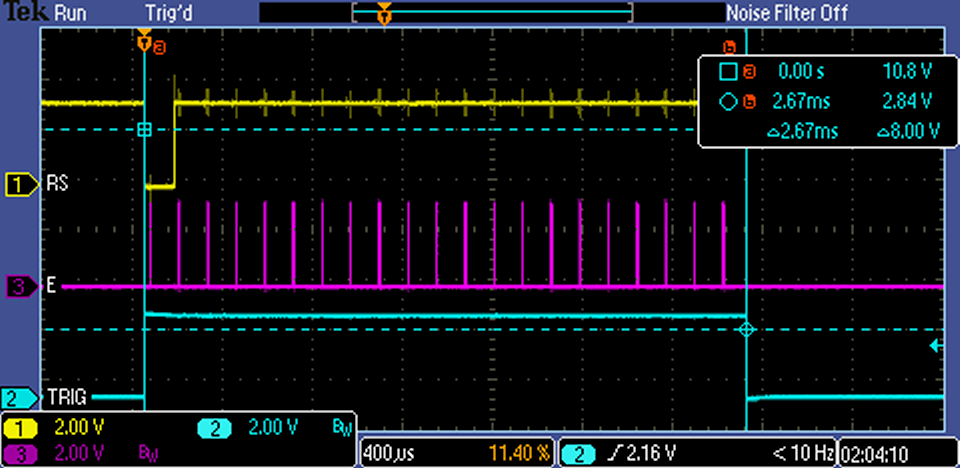 Original - 8 Bit mode Set Cursor write 20 characters |
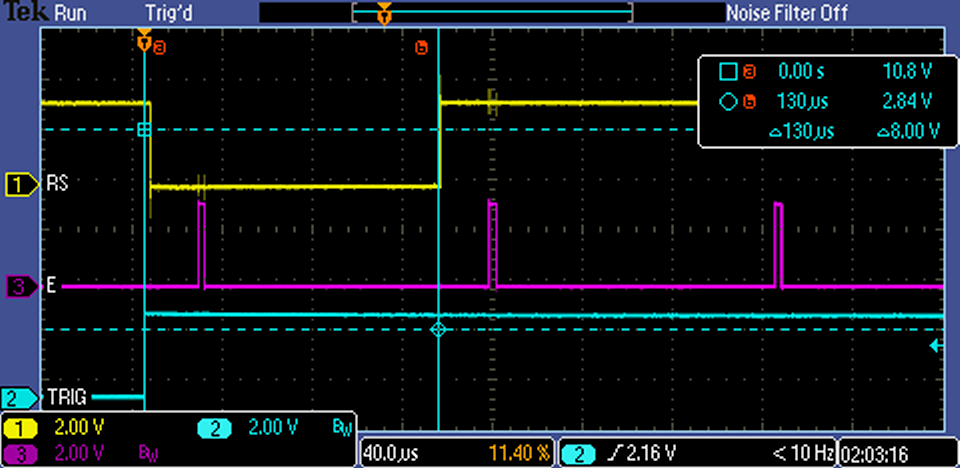 Original - 8 Bit mode Set Cursor detail |
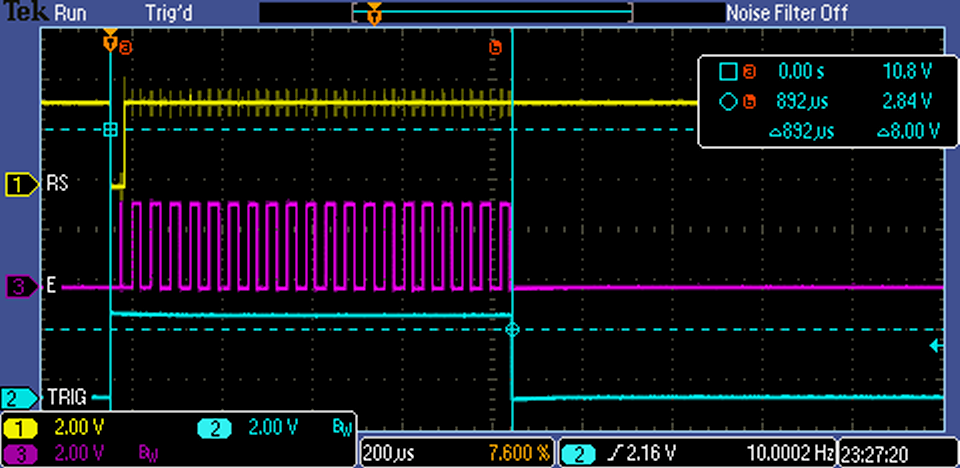 Optimal - 8 Bit mode Set Cursor write 20 characters |
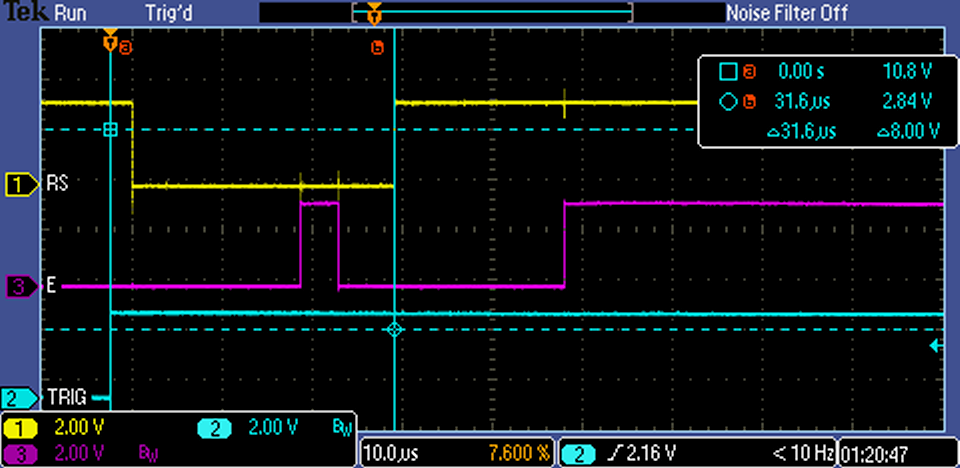 Optimal - 8 Bit mode Set Cursor detail |
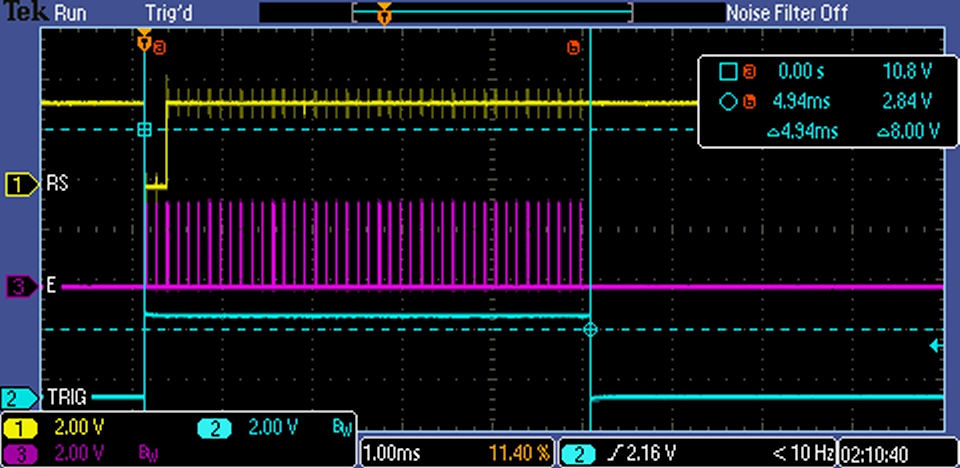 Original - 4 Bit mode Set Cursor write 20 characters |
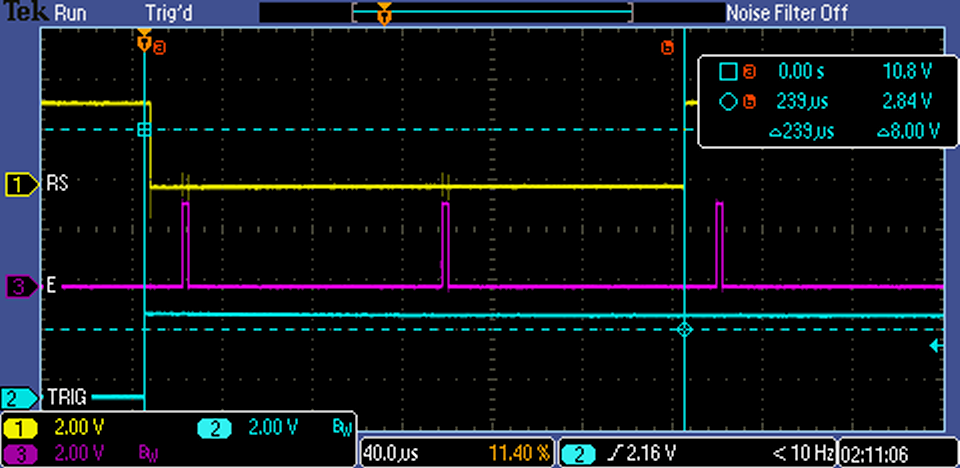 Original - 4 Bit mode Set Cursor detail |
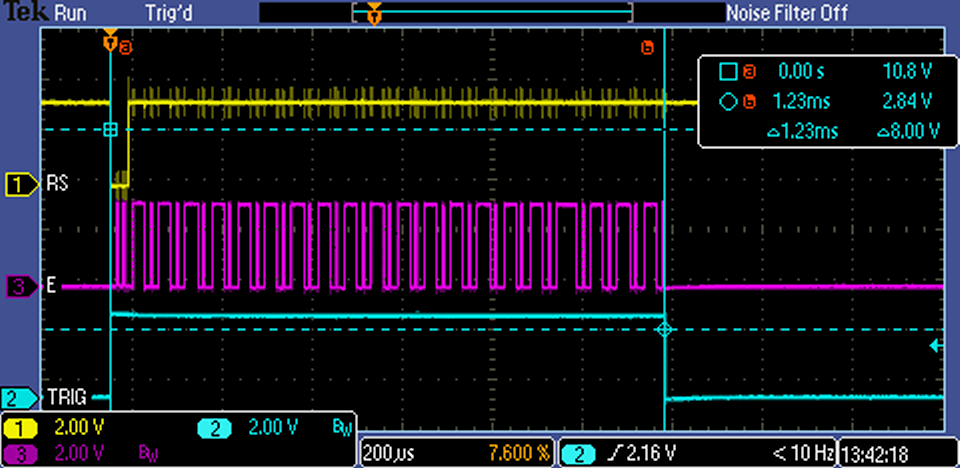 Optimal - 4 Bit mode Set Cursor write 20 characters |
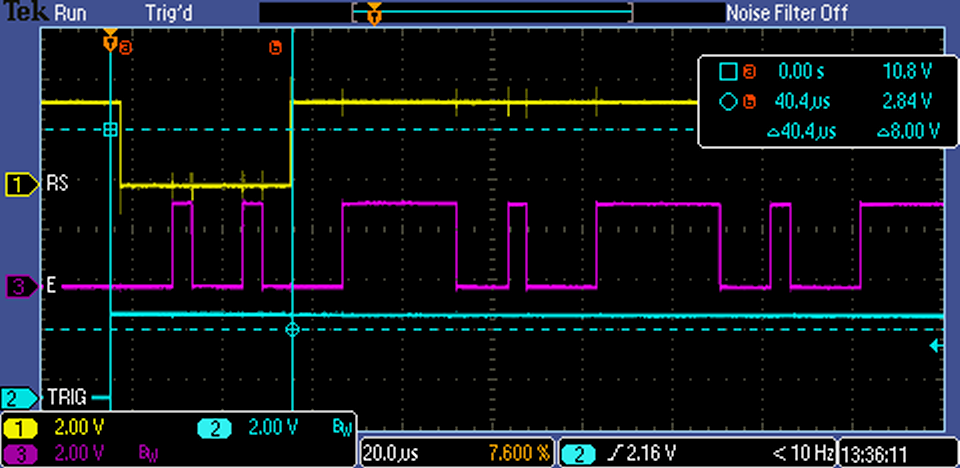 Optimal - 4 Bit mode Set Cursor detail |
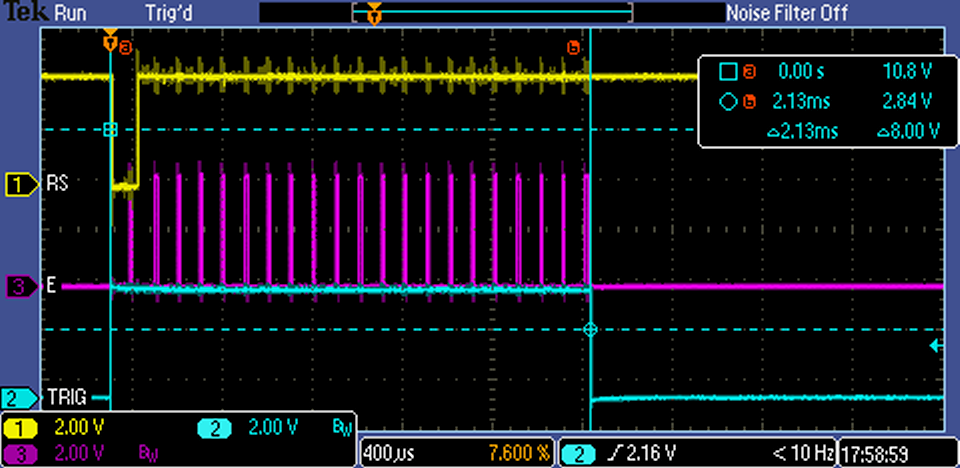 Mega - Optimal - 8 Bit mode Set Cursor write 20 characters |
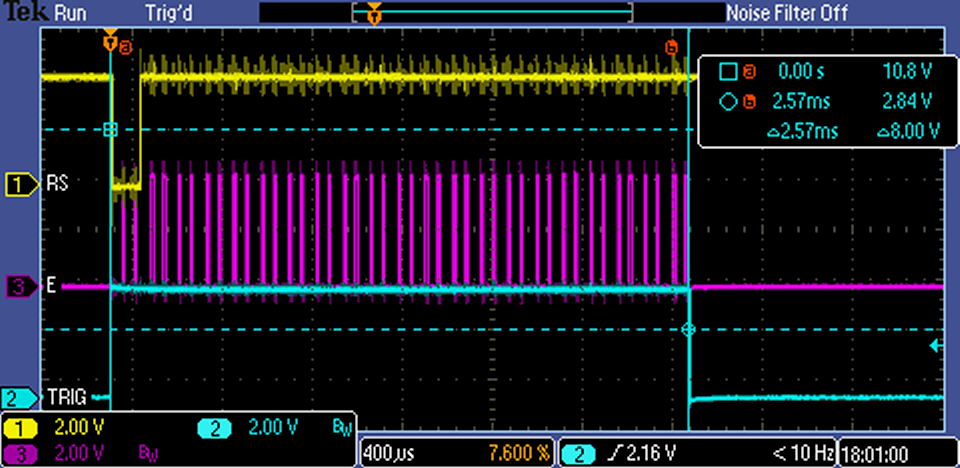 Mega - Optimal - 4 Bit mode Set Cursor write 20 characters |
The update files, test programme and documentation are available from Github repository.
Interested in something similar contact sales.
| © 2016 onwards by PC Services, Reading UK | Last Updated: 11th April 2016 |
| If you encounter problems with this page please email your comments to webmaster | |